Take the in-app product tour
On this page
Besides the written guides in this section, CluedIn also includes a short, interactive product tour that you can take directly in the application. It gives you a quick overview of the major areas of CluedIn before you dive into the step-by-step guides.
What the tour covers
The tour is a 13-step guided walkthrough covering:
- Welcome and prerequisites
- Core concepts
- First-time setup (connecting data sources and ingesting data)
- Data modeling and business domains
- Rules and processing
- Deduplication projects
- Streams and exports
- Tag monitoring
- Workflows
- Clean projects
- Hierarchy builder
- AI agents and agent jobs
- Where to find documentation and support
Each step gives a short explanation, and most steps include a Take me there button that navigates you directly to that area of CluedIn.
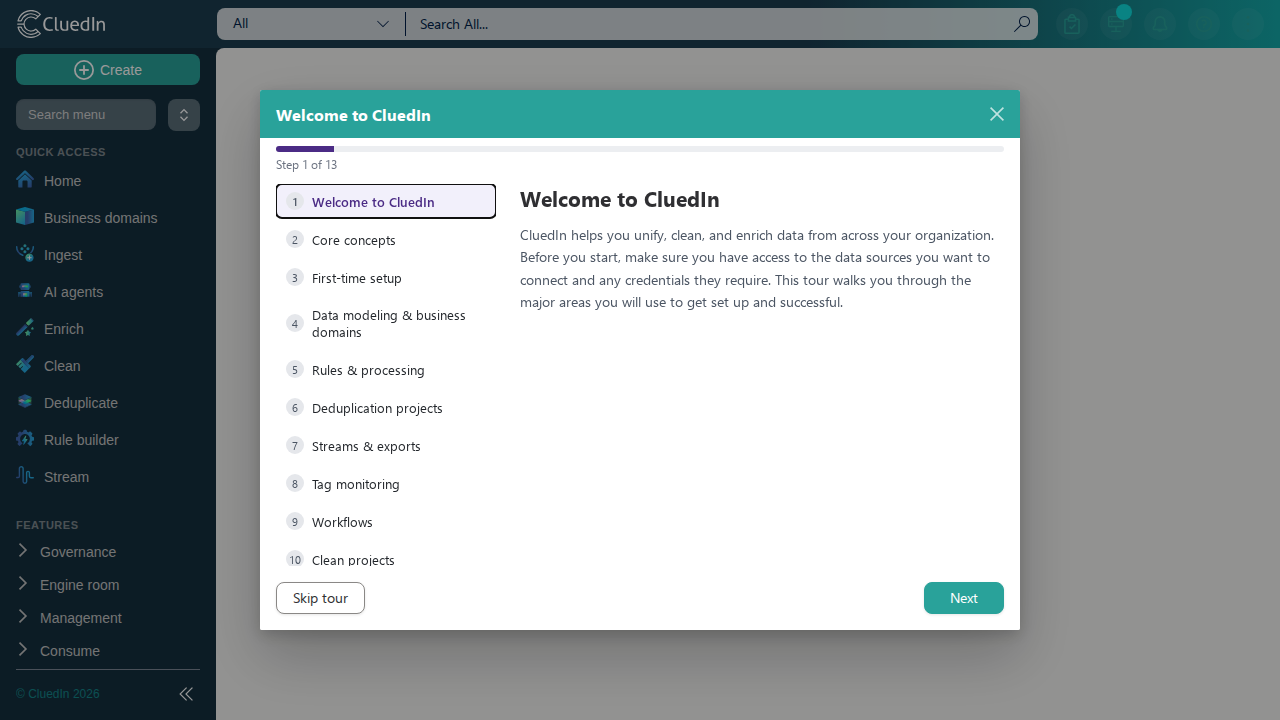
Starting the tour
The tour opens automatically the first time you sign in to a new organization. You can dismiss it at any time with Skip tour or the close button — it never blocks you from using the rest of CluedIn.
To open the tour again at any time
- In the top navigation bar, select the Help (?) icon.
-
Select Product Tour.
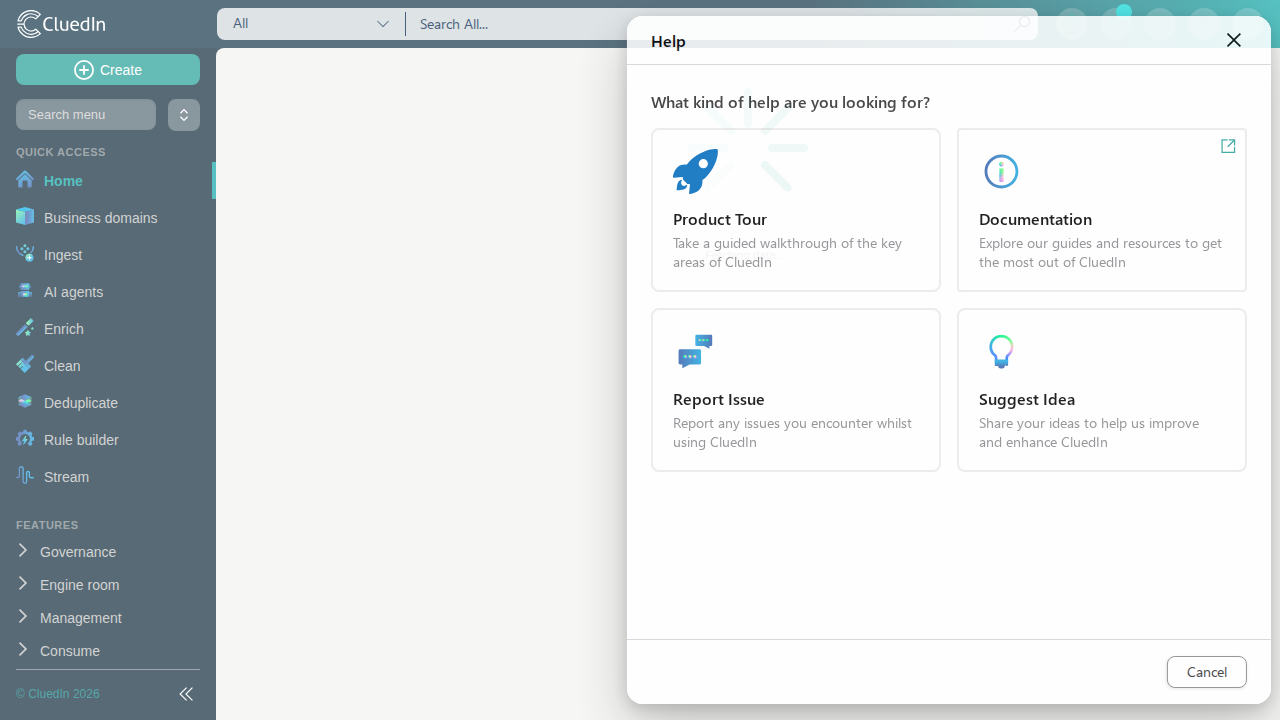
-
Depending on your progress, select Start tour, Resume tour, or Restart tour.
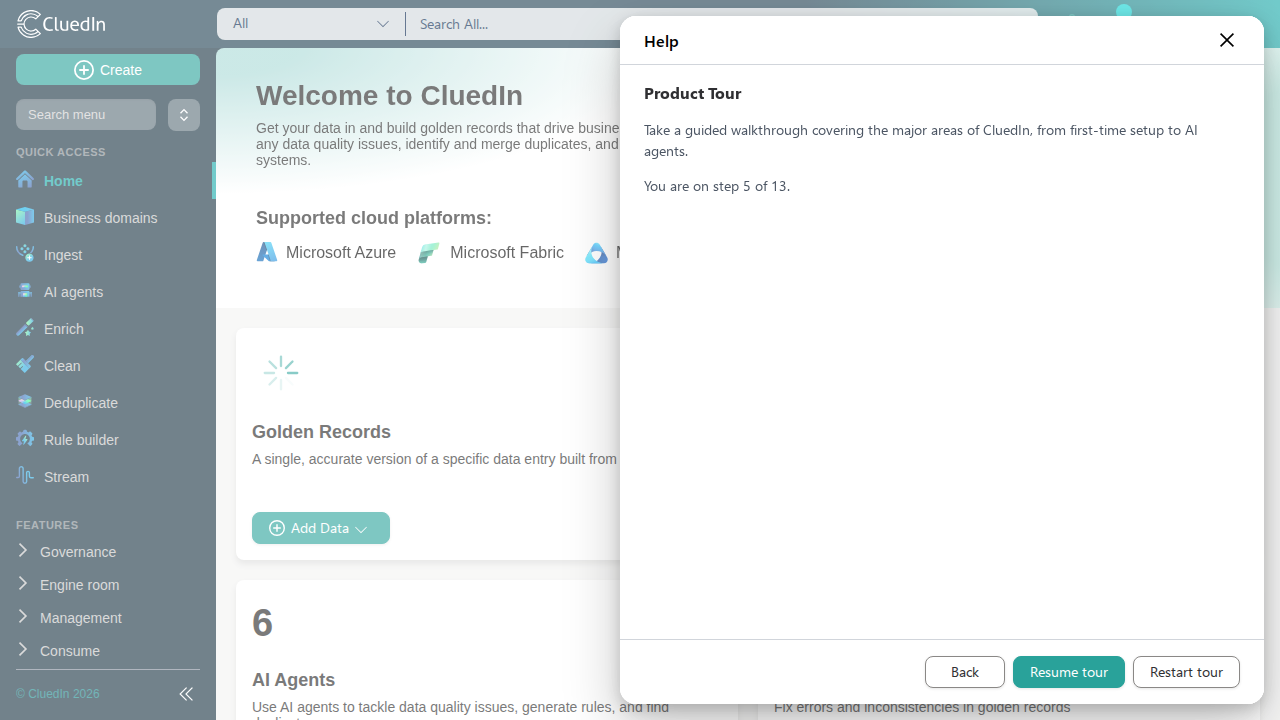
Skip, resume, and restart
- Skip closes the tour without losing your place — your progress is saved so you can pick up later.
- Resume reopens the tour at the exact step you last viewed.
- Restart clears your progress and reopens the tour from the first step, even if you already completed it.
Once you finish the last step, the tour won’t reappear automatically — you can always relaunch it from the Help menu as described above.