


Disaster recovery runbook - Pre 2025.09.00
reference Facts, options, APIs
On this page
The disaster recovery runbook can be triggered manually or on a set schedule. It is responsible for orchestrating the backup > copy > restore process.
This runbook is a PowerShell script, which CluedIn will provide as needed.
Prerequisites
- An active CluedIn cluster with a valid license (and/or a passive CluedIn cluster)
- The runbook script
- An automation account
- The backup runbook
- The copy runbook
- The restore runbook
- A storage account
- Sufficient permissions
Automation account
An automation account must be provided. The runbook will be installed into the the automation account. The three dependent runbooks must already be installed. Typically, the runbook should be scheduled to run once a day outside of office hours.
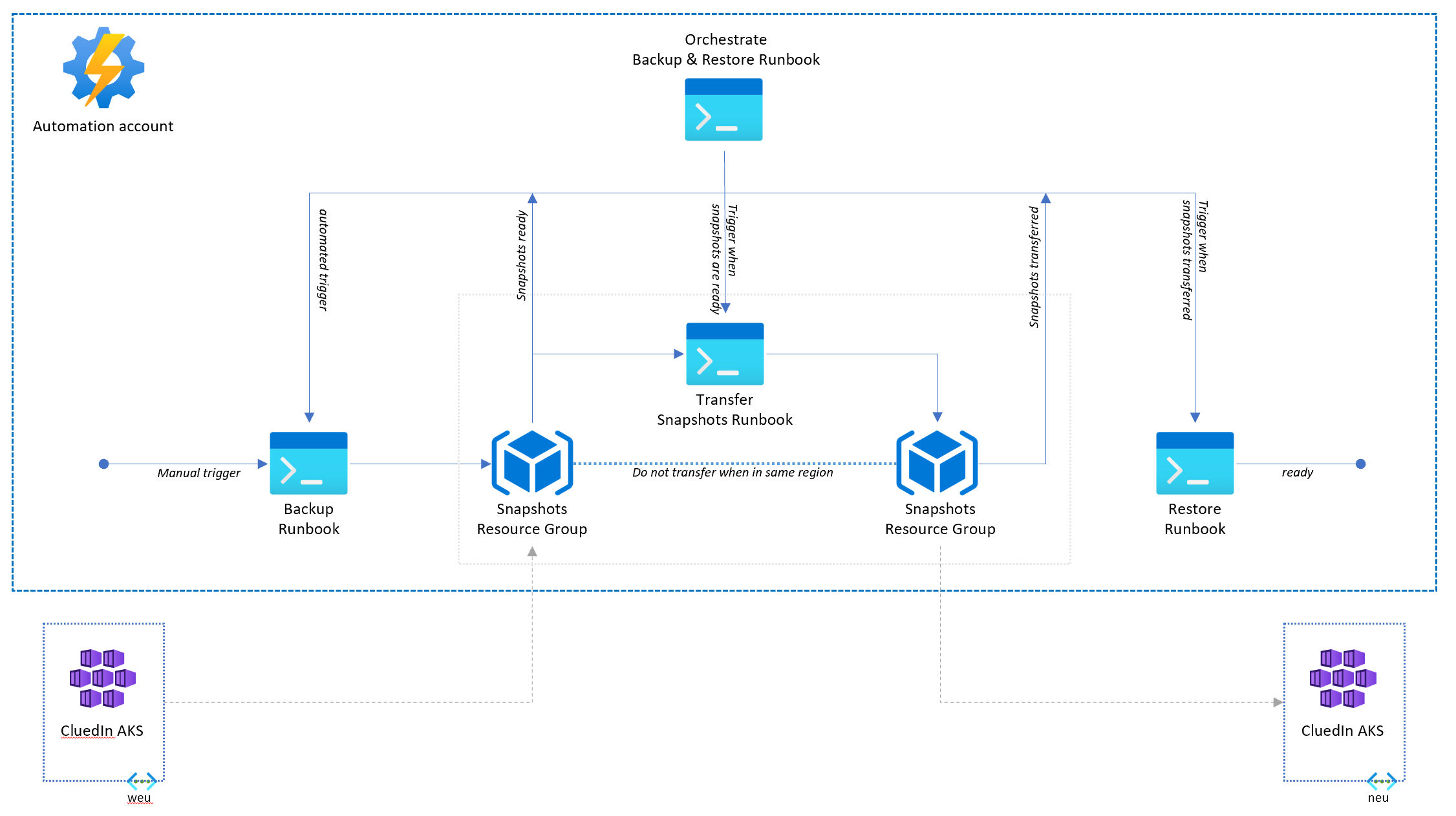
Input parameters
| Parameter | Default | Description |
|---|---|---|
| CustomerName | required | Name of customer |
| Subscription | required | ID of the Azure subscription |
| SourceResourceGroup | required | Name of resource group where source AKS cluster is located |
| TargetResourceGroup | required` | Name of resource group where target AKS cluster is located |
| TargetStorageAccount | required | Name of target storage account |
| SourceSnapshotResourceGroup | required | Name of resource group containing source snapshots |
| TargetSnapshotResourceGroup | required | Name of resource group containing copied snapshots |
| ScaledownDR | true | Scales down a DR cluster after a successful restoer |
Process

Scaling down of the DR environment following a successful restore is optional.