

Alerts
how-to Steps to accomplish one task
By default, CluedIn contains built-in alerts that are sent to our support team.
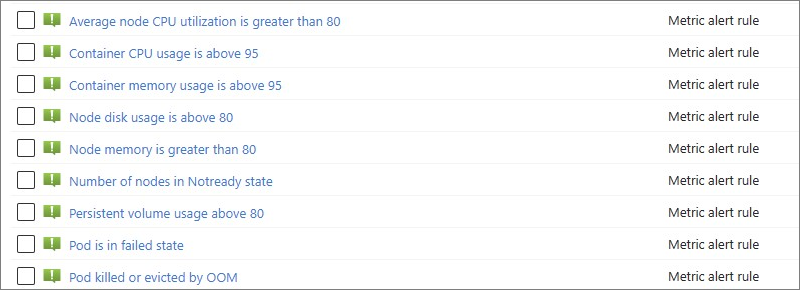
If you need to set up additional alerts or modify the existing configuration of alerts, you can do it your CluedIn AKS cluster.
To configure additional alerts
-
In the Azure portal, navigate to the needed AKS cluster.
-
In the left pane, under Monitoring, select Alerts.
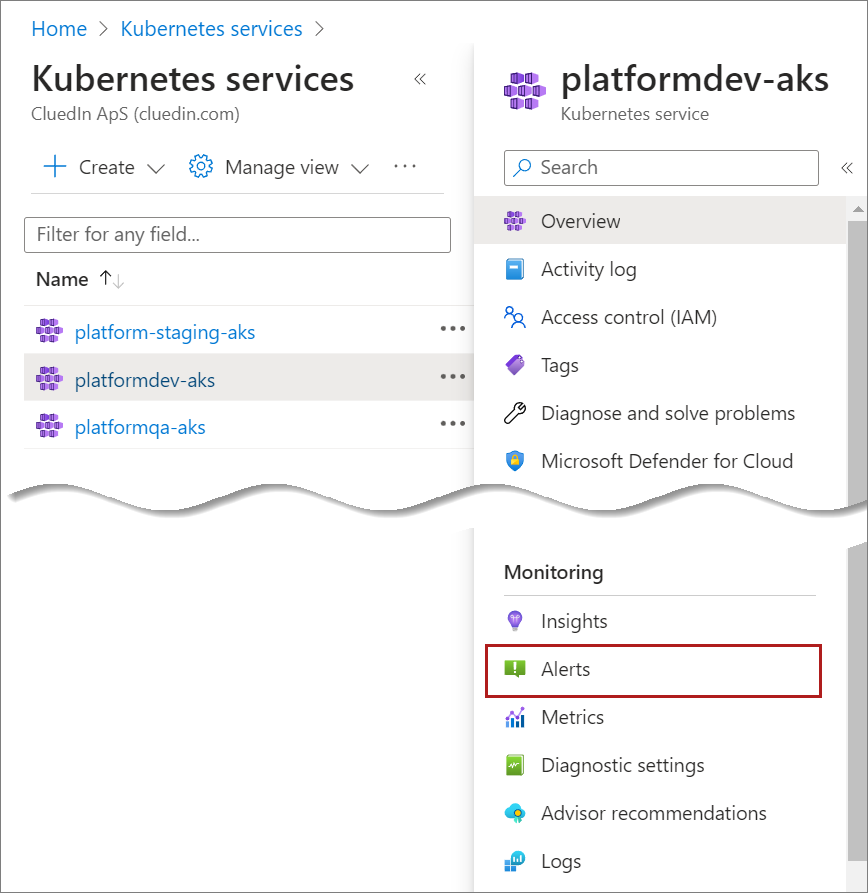
You will see the alerts for your CluedIn AKS cluster.
-
To configure additional alerts, create a new alert rule and set the actions for the alerts rule as described in Microsoft documentation.