

Connect to CluedIn cluster
how-to Steps to accomplish one task
Azure Cloud Shell provides an effective environment and the tools you need to interact with your AKS cluster without significant configuration or effort.
To connect to your CluedIn cluster in Azure Cloud Shell
-
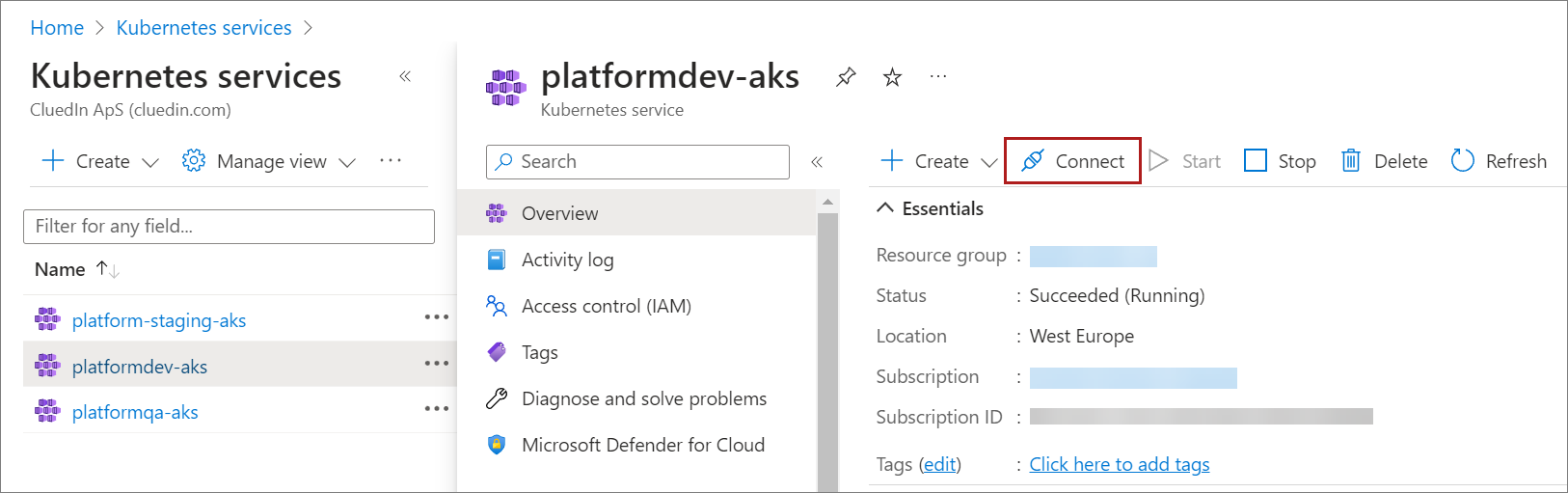
In the Azure portal, navigate to your AKS resource.
-
On the menu bar, select Connect.
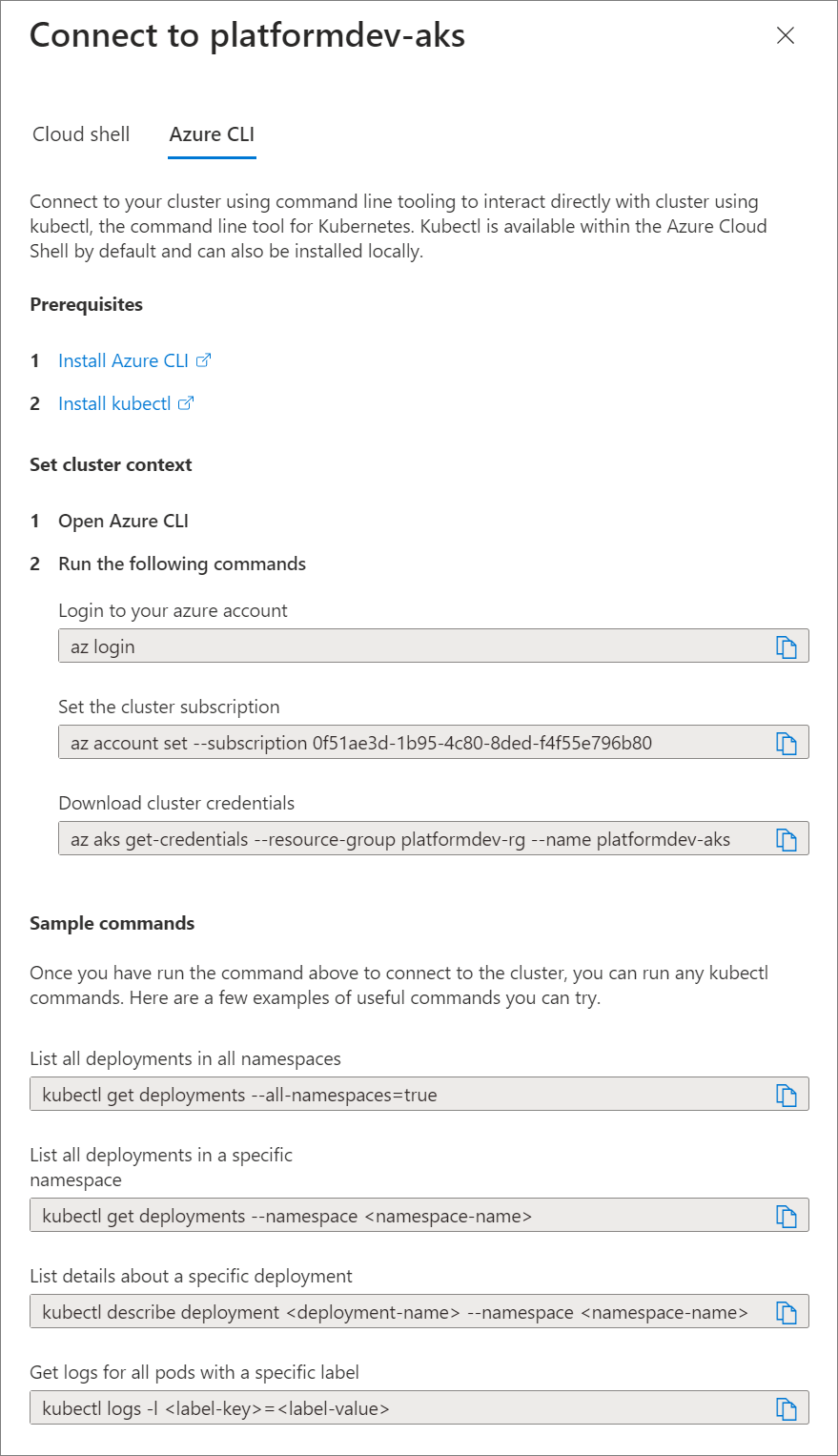
In the right pane, you’ll see the connection details and instructions that you can use to connect to your CluedIn cluster.
For additional details, please refer to Microsoft Documentation.