

Azure Dedicated SQL Pool connector
reference Facts, options, APIs
On this page
This article outlines how to configure the Azure Dedicated SQL Pool connector to push data from CluedIn to Microsoft’s Dedicated SQL Pool, which is a part of Azure Synapse Analytics platform.
Configure Azure Dedicated SQL Pool connector
Prerequisites: Make sure you have a Dedicated SQL Pool resource created under Azure Synapse Studio or Azure Synapse Analytics. For more information on how to create a dedicated SQL pool using Synapse Studio, see Microsoft documentation.
To configure Azure Dedicated SQL Pool connector
-
On the navigation pane, go to Consume > Export Targets. Then, select Add Export Target.
-
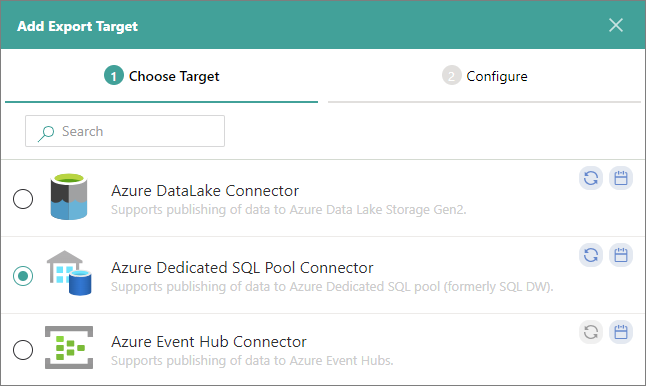
On the Choose Target tab, select Azure Dedicated SQL Pool Connector. Then, select Next.
-
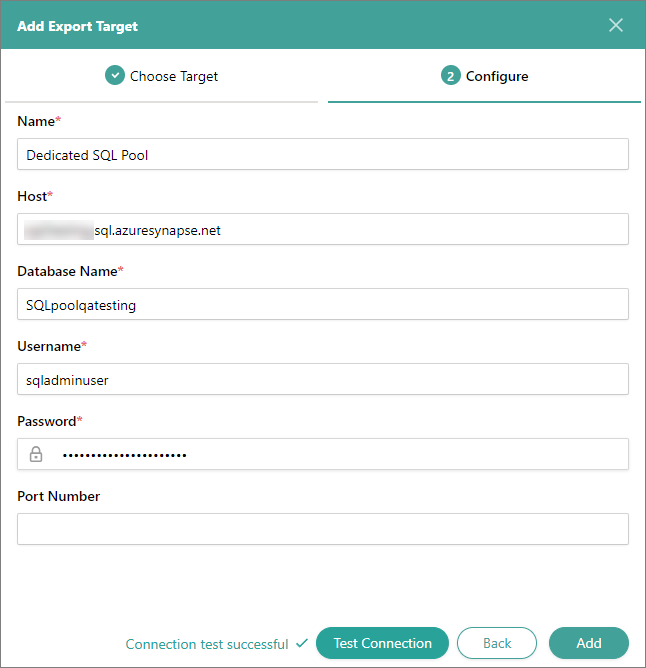
On the Configure tab, enter the connection details:
-
Name – user-friendly name of the export target that will be displayed on the Export Target page in CluedIn.
-
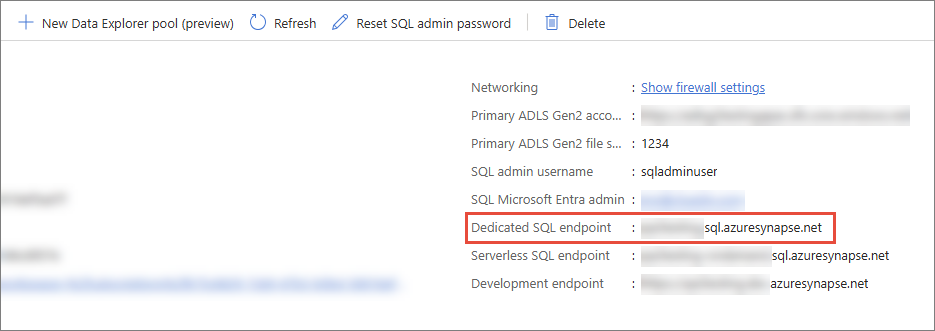
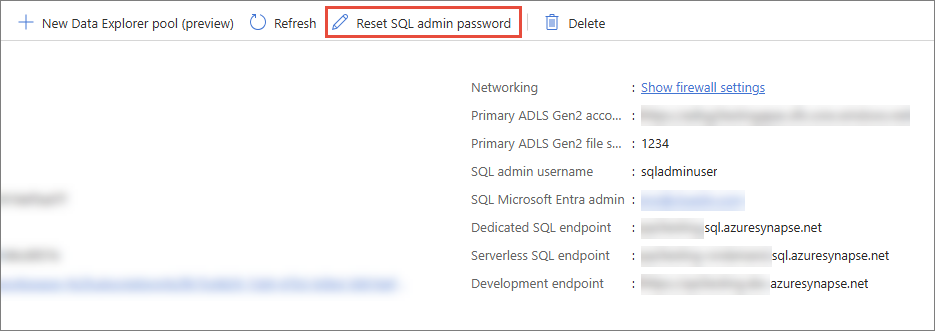
Host – dedicated SQL endpoint in the workspace. To find this value, sign in to Azure Synapse Analytics, and then select the needed workspace. On the Overview page, copy the value from Dedicated SQL endpoint.
-
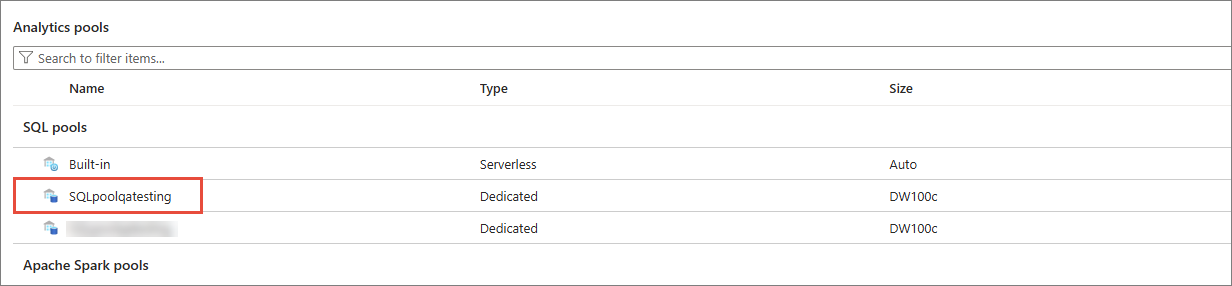
Database Name – name of the SQL pool where you want to store the data from CluedIn.
-
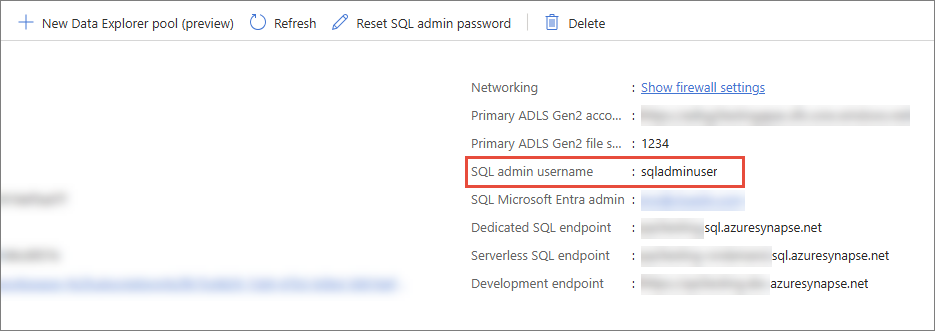
Username – SQL admin username in the workspace.
-
Password – SQL admin password, which was provided at the creation of a workspace. If you forget the password, you can reset it by selecting Reset SQL admin password as displayed on the screenshot.
-
Port Number – this is an optional field. You may provide the port number if it is set up in the database.
-
-
Test the connection to make sure it works, and then select Add.
Now, you can select the Azure Dedicated SQL Pool connector in a stream and start exporting golden records.
Limitations of Azure Synapse Analytics
Deciding whether to use the Azure Dedicated SQL Pool connector to stream golden records from CluedIn to Azure Synapse Analytics requires careful consideration. This section outlines several limitations of Azure Synapse Analytics, explaining why it may not be the best choice for streaming large sets of data directly from CluedIn. As an alternative, we recommend using One Lake or Azure Data Lake.
Not optimized for frequent small updates
Azure Synapse Analytics is a massively parallel processing (MPP) data warehouse designed for handling large-scale, batch-oriented analytical workloads. It is not optimized for frequent, small data updates or transactional workloads. Frequent small updates might lead to inefficient use of resources, data imbalances that impact query performance, and overhead of write operations.
High data ingestion costs
Frequent data pushes require the use of data pipelines, storage transactions, and potentially recomputing indexes and materialized views in Synapse. Constant data ingestion using Synapse pipelines can result in high operational costs. In addition, frequent ingestion competes with analytical workloads for resources, reducing overall performance.
Latency in Synapse processes
Synapse works best when given time to process large volumes of data, but frequent updates introduce latency at every stage. Loading data into Synapse requires preprocessing, uploading to staging layers, and running COPY commands, which are not instant. In addition, frequent changes to metadata (for example, partitions, indexes) slow down the ingestion process.